 News Time Tech Welcome To Hot News Time Tech
Related Articles
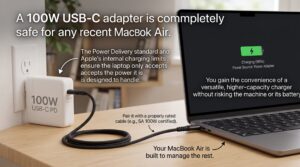
You grab a powerful 100W USB-C charger meant for a bigger laptop or a multi-port hub. Then you wonder whether plugging it into your MacBook Air could harm the battery or the machine. The short answer is yes, it is safe. Modern charging standards prevent the laptop from drawing more power than it can handle.
USB Power Delivery handles the negotiation automatically. Your MacBook Air tells the charger exactly how much wattage it wants. The adapter never forces extra power into the system. Understanding a few details helps you charge confidently and get the best results.
How USB Power Delivery Keeps Things Safe
USB-C Power Delivery works through a digital handshake. When you connect the cable, the MacBook Air and the charger exchange information about supported voltages and currents. The laptop requests only what its charging circuitry allows.
Apple designs the MacBook Air’s power management to limit input. Even if the wall adapter can supply 100W or more, the computer simply draws its maximum safe amount—typically peaking around 67W to 72W on recent M-series models. Excess capacity stays unused. This negotiation is the core reason higher-wattage chargers pose no risk when they follow the USB PD standard.
I have used the same 100W GaN charger across a MacBook Air, an iPad, and a phone for years. The Air never charged faster than its design limit, and temperatures stayed normal.
What Wattage Does a MacBook Air Actually Accept?
Recent MacBook Air models (M2, M3, M4 and later) support fast charging when paired with a 67W or 70W-and-higher adapter. Real-world tests often show peak input near 70–72W before the system tapers power as the battery fills. Older M1 Air models top out lower, closer to 45W.
A 100W adapter therefore sits well above the laptop’s ceiling. It will deliver the full supported speed during the early stages of charging and then reduce power naturally. Using a lower-wattage adapter (30W or 35W) still works safely—it just takes longer, especially while you use the machine.
The included Apple adapters are sized for everyday convenience rather than maximum speed. Pairing a higher-wattage PD charger unlocks the faster top-up times Apple advertises (roughly 50 percent in about 30 minutes under ideal conditions).
The Cable Matters as Much as the Charger
A high-quality USB-C cable rated for the power level is essential. Many cheap cables lack the necessary e-marker chip or proper wire gauge and may limit charging to 60W or less, even with a capable adapter. Look for cables explicitly rated for 100W (or at least 60–100W) and preferably USB-IF certified.
Apple’s own USB-C to MagSafe 3 or USB-C charge cables work reliably. Reputable third-party options from Anker, Belkin, UGREEN, and similar brands also perform well when they carry proper certification. Avoid no-name cables that feel unusually thin or lack clear power ratings.
Using the right cable ensures the negotiated power actually reaches the laptop without bottlenecks or excess heat in the cable itself.
Practical Tips for Everyday Charging
Stick to USB PD-compliant chargers from known brands. GaN models are compact and efficient, making them popular for travel. You can safely share a multi-port 100W charger with other devices; the MacBook Air will still only take what it needs.
Monitor battery health occasionally in System Settings. Apple’s optimized battery charging and thermal management further protect longevity. Avoid covering the laptop or using it on soft surfaces that trap heat during fast-charging sessions, though the Air generally runs cool.
If you travel with one charger for multiple devices, a 100W unit gives you flexibility without any downside for the MacBook Air.
FAQ
Will a 100W charger make my MacBook Air charge faster than a 70W one?
No. Once the adapter meets or exceeds the laptop’s maximum supported input (around 67–72W on recent models), extra wattage provides no additional speed.
Is it safe to leave the 100W charger connected overnight?
Yes. The MacBook Air manages the final stages of charging and switches to maintenance mode automatically.
Can I use any 100W USB-C charger?
Prefer chargers that support USB Power Delivery and come from reputable makers. Avoid uncertified, extremely cheap adapters.
Does MagSafe change anything?
MagSafe 3 on recent Air models still relies on the same USB PD negotiation. A higher-wattage USB-C power adapter works fine with the MagSafe cable.
What about older MacBook Air models?
M1 and earlier USB-C Air models accept less power. A 100W charger remains safe but will not exceed their lower limits.
Will this affect long-term battery health?
No evidence suggests properly negotiated higher-wattage charging harms battery longevity when the laptop’s own circuitry controls the process.
